September 9, 2007

The University of Minnesota distance learning site has a game students can play to create the ecosystems for a successful prairie.
The prairie is one of North America’s great ecosystems and a vital habitat for many plants and animals. Over 98% of the prairie has been lost in the past 150 years—but some people are trying to bring it back, hectare by hectare. Restoring a prairie is a great challenge, requiring knowledge of biology, ecology, climatology, and even economics.
Are you up for the challenge? If you choose the right plants and animals, you can watch the prairie come to life before your eyes! Let’s begin!
North America’s prairie is divided into the tallgrass ecosystem and shortgrass ecosystem (plus an area in between—the “mixed grass” prairie). Which one do you want to restore?
This game fits neatly into geography curricula for a number of states, and also covers parts of the 7th grade social studies standards for Texas — if your state is covered by the tallgrass or shortgrass prairies as shown on the accompanying map, it’s likely your state standards include students’ learning about prairie ecosystems.
 The game is fail-safe; it does not allow incorrect selections. It’s not a sim, really, but a basic introduction to what makes a successful prairie. Students should be able to master the game in 15 minutes.
Though developed way up north in Minnesota, the game and species are close to Texas prairies, too. The emphasis on soil points to some of the key errors made by farmers (encouraged by developers and the U.S. Department of Agriculture) which led to the Dust Bowl; this is a good enrichment exercise for Dust Bowl lesson plans. These games cover many of the requirements for Boy Scout merit badges, too: Environmental Science, Wildlife Management, and Soil and Water Conservation, and others.
This game comes out of the Bell Museum at the University of Minnesota; be sure to check out the Watershed game, too.

Update, October 2011: No, I can’t find the game now, either. It appears the Bell Museum took the site down, and trusting (and hoping) they wouldn’t do that, I didn’t pirate any of the images, nor especially the game.
Here’s hoping someone will put the thing back on line, somewhere. If you find it, will you let me know? I’d like to renew the links. Several school systems went through this site to get to the game for classroom activities. It was a good thing.
Update October 30, 2011: Try the game here.
Spread the word; friends don't allow friends to repeat history.
 4 Comments |
  Biology, Boy Scouts of America, Conservation, Dust Bowl, Education, Environmental protection, Geography - Economic, Geography - Physical, History, Lesson plans, Natural history, Natural resources, On-line education, On-line learning, Technology in the classroom |
  Permalink
 Posted by Ed Darrell
August 31, 2007
Wow!

Teachers, take a look at this Flash animation about slavery, from the Museum of African Diaspora (MoAD) in San Francisco. Yes, that beautiful, distinctive narrator voice is Maya Angelou — this is a high quality, high-impact presentation.
This MoAD piece, “Slave Narratives,” gives a glimpse of the potential of on-line learning, and what can be done with computers to supercharge a subject. Here slavery is presented as not only a colonial American problem, but is instead carried on through salvery issues in the 21st century. It’s part of the MoAD “Salon,” a site that world geography, world history and U.S. history teachers need to visit right away.
Cyberspace Nova discusses the site in a quick review of recent great Flash animations:
Imagine how it looked like taking a people freedom, torturing them, killing them and moving them far far away from their home. Tears can follow very easily if you just put one picture on your mind how it looked like. Yet, Slave Narrative put thousands of pictures in front of your eyes if you listen to the stories of slaves who lived to write them and share with people that will live after them. Let’s never forget this, because it’s happening today, like some stories from Slave Narratives tell… I love that this site is done in Flash, it is so powerful, it tells a story that we cannot hear a lot… Narrative part not just only justifies use of Flash, whole interactivity makes it great. 5/5

Also look at this photographic exhibit of from MoAD, featuring more than 2,000 photos of people of African descent and places and things important to them — again, with great flash animation.
Bookmark the home page of the museum while you’re there.
Spread the word; friends don't allow friends to repeat history.
1 Comment | Education, Geography - Economic, Geography - Political, History, Human Rights, Museums, On-line education, On-line learning, Slavery | Tagged: Africa, Education, geography, History, Human Rights, Museums, On-line education, On-line learning, Slavery | Permalink
Posted by Ed Darrell
August 24, 2007
Digital History.
Maybe not absolutely everything. But you can mine this source, the veins are rich and deep.
This is a list of sources from Digital History, a site maintained by the University of Houston. I’ve mentioned it in the past, I think — I’ve used it a lot. For example, it has a list of history museums throughout the U.S., with websites and links. It lists the sites of history journals. It lists the sites of electronic history journals.
You’ve got your lesson plans mapped out, most of them done. You’ve got the data sheets for the students to fill out, you’ve got the first week’s bell ringers all prepared. The syllabi are all resting snug in their boxes, just waiting for students, those sly little foxes.
You’re ready.
Take a minute, take a deep breath; now, go browse the Digital History resources. See what other possibilities there are.
Spread the word; friends don't allow friends to repeat history.
2 Comments | Harry Wong, History, History museums, Lesson plans, On-line education, On-line learning, Teaching, Technology, Technology in the classroom | Permalink
Posted by Ed Darrell
August 16, 2007
What amphibians can be found in your local biome?  What is the range of a particular amphibian, say the Great Plains toad? What does that toad look like? How does it sing?
Great source to supplement geography lessons: Amphibiaweb, a special project at the University of California – Berkeley.
Quite student friendly — get to the world map, click on your continent (ooh! kids gotta know what continent they’re on! see social studies TEKS, World geography 4.C, U.S. history 8, World history 11), click on your country, if you’re in the U.S., click on your state. Photos, maps of the range, scientific names, sound recordings of their calls, description, conservation status.
Read the rest of this entry »
Spread the word; friends don't allow friends to repeat history.
4 Comments | Lesson plans, Maps, Natural history, On-line education, On-line learning, Technology in the classroom, TEKS, Texas | Permalink
Posted by Ed Darrell
August 13, 2007
Spectacular images of World War II historical sites are available at two websites every history or geography teacher should have bookmarked, and use frequently.
The first is D-Day spots, which features satellite photo/map hybrids, and dozens of Quicktime interactive panoramas of dozens of sites all along the beaches of Normandy.

The panoramic images are made up of digital photos, usually very high quality, which would be useful images even were they not part of the interactive, panoramic feature; see the image of the West Pointe du Hoc cliffs at right.
 Many beach shots are there, of course — the panoramic images also include a few other sites around the beaches, and some of those images are spectacular all on their own, such as the interior of a local church, Sainte Mére-Eglise.

The second site is Panoramas of World War II Landmarks 1945-2007.
These landmarks feature many battlefield sites, and they offer interactive, Quicktime panoramas of some sites that are not so well known as they ought to be, such as the graveyard at Al Alamein in Egypt (see photo below). To U.S. audiences, some of these sites may be relatively unknown — it’s a good excuse to explore the sites and get more familiar with the European view of World War II.

This site also features photos of the war in the Pacific, with a series of photos from Hiroshima (see below), Nagasaki and Tokyo, but also including Pearl Harbor and Okinawa.
Integrating these sites into directed teaching should be easy, if you have a computer and projector. At the D-Day site, many of the panoramas are downloadable. For the Landmarks site, an active internet connection may be required.

Spread the word; friends don't allow friends to repeat history.
1 Comment | 1941-1945, D-Day, Famous Battles, Geography - Physical, History, History images, On-line education, On-line learning | Permalink
Posted by Ed Darrell
August 7, 2007
How does your state rank in terms of “structurally deficient bridges?” You can get a per capita report and comparison at this site chock full of statistics comparing states: Statemaster.com.
| Rank |
States |
Amount (top to bottom) |
| #1 |
Oklahoma: |
21.331 per 10,000 people |
|
| #2 |
Iowa: |
17.965 per 10,000 people |
|
| #3 |
Nebraska: |
14.828 per 10,000 people |
|
| #4 |
South Dakota: |
13.493 per 10,000 people |
|
| #5 |
North Dakota: |
13.021 per 10,000 people |
|
| #6 |
Mississippi: |
12.67 per 10,000 people |
|
| #7 |
Kansas: |
12.038 per 10,000 people |
|
| #8 |
Missouri: |
9.094 per 10,000 people |
|
| #9 |
Wyoming: |
8.266 per 10,000 people |
|
| #10 |
Vermont: |
7.881 per 10,000 people |
|
| #11 |
Montana: |
6.231 per 10,000 people |
|
| #12 |
West Virginia: |
5.95 per 10,000 people |
|
| #13 |
Alabama: |
5.678 per 10,000 people |
|
| #14 |
Louisiana: |
4.908 per 10,000 people |
|
| #15 |
Arkansas: |
4.904 per 10,000 people |
|
| #16 |
Pennsylvania: |
4.404 per 10,000 people |
|
| #17 |
Indiana: |
3.366 per 10,000 people |
|
| #18 |
Wisconsin: |
3.183 per 10,000 people |
|
| #19 |
South Carolina: |
2.914 per 10,000 people |
|
| #20 |
Kentucky: |
2.815 per 10,000 people |
|
| #21 |
New Hampshire: |
2.802 per 10,000 people |
|
| #22 |
Tennessee: |
2.772 per 10,000 people |
|
| #23 |
Maine: |
2.762 per 10,000 people |
|
| #24 |
North Carolina: |
2.724 per 10,000 people |
|
| #25 |
Ohio: |
2.712 per 10,000 people |
|
| #26 |
Minnesota: |
2.283 per 10,000 people |
|
| #27 |
Alaska: |
2.17 per 10,000 people |
|
| #28 |
Idaho: |
2.148 per 10,000 people |
|
| #29 |
New Mexico: |
2.012 per 10,000 people |
|
| #30 |
Illinois: |
1.913 per 10,000 people |
|
| #31 |
Michigan: |
1.789 per 10,000 people |
|
| #32 |
Rhode Island: |
1.775 per 10,000 people |
|
| #33 |
Oregon: |
1.541 per 10,000 people |
|
| #34 |
Virginia: |
1.534 per 10,000 people |
|
| #35 |
Georgia: |
1.432 per 10,000 people |
|
| #36 |
Hawaii: |
1.216 per 10,000 people |
|
| #37 |
Texas: |
1.215 per 10,000 people |
|
| #38 |
New York: |
1.16 per 10,000 people |
|
| #39 |
Utah: |
1.093 per 10,000 people |
|
| #40 |
New Jersey: |
0.98 per 10,000 people |
|
| #41 |
Massachusetts: |
0.975 per 10,000 people |
|
| #42 |
Connecticut: |
0.966 per 10,000 people |
|
| #43 |
Colorado: |
0.855 per 10,000 people |
|
| #44 |
California: |
0.805 per 10,000 people |
|
| #45 |
Maryland: |
0.745 per 10,000 people |
|
| #46 |
Washington: |
0.693 per 10,000 people |
|
| #47 |
Delaware: |
0.498 per 10,000 people |
|
| #48 |
District of Columbia: |
0.345 per 10,000 people |
|
| #49 |
Arizona: |
0.286 per 10,000 people |
|
| #50 |
Nevada: |
0.257 per 10,000 people |
|
| #51 |
Florida: |
0.178 per 10,000 people |
|
| |
Weighted average: |
4.3 per 10,000 people |
|
DEFINITION: Number of bridges which are structurally deficient. Per capita figures expressed per 10,000 population.
SOURCE: U.S. Department of Transportation, Federal Highway Administration, National Bridge Inventory: Deficient Bridges by State and Highway System, Washington, DC: 2004 via StateMaster
This site has oodles and oodles of great statistics, and a few tools to pull them out and compare. I have not even scratched the surface of utility for the site.
Welcome to StateMaster, a unique statistical database which allows you to research and compare a multitude of different data on US states. We have compiled information from various primary sources such as the US Census Bureau, the FBI, and the National Center for Educational Statistics. More than just a mere collection of various data, StateMaster goes beyond the numbers to provide you with visualization technology like pie charts, maps, graphs and scatterplots. We also have thousands of map and flag images, state profiles, and correlations.
We have stats on everything from toothless residents to percentage of carpoolers. Our database is increasing all the time, so be sure to check back with us regularly.
If you are interested in data on an international scale, be sure to check out NationMaster, our sister site and the world’s largest central database for comparing countries.
What other uses can you find?
Spread the word; friends don't allow friends to repeat history.
4 Comments | 1968, History, Libraries, On-line education, On-line learning, Technology, Technology in the classroom | Permalink
Posted by Ed Darrell
August 5, 2007
Only Crook pointed this out in a comment — and it’s neat enough to raise to a headline:
. . . have you seen the U.S. Presidential Speeches Tag Cloud http://chir.ag/phernalia/preztags/ I happened upon a speech by Millard Fillmore, so naturally I thought of this blog. I can’t link you directly to the speech I looked at, which was his 1850 State of the Union Address, (you have to use the slider to get there) but these were the most common words in that speech according to the tag cloud:
appropriations california constitution negotiation pacific ports revenue territory treasury treaty war
Go try it out. It’s a very interesting tool for the visual portrayal of information — visual portrayals that I don’t know how to copy for display here.
For example, notice the arrival of the word “California” in presidential speeches, circa 1848. Note how the word grows over the next few years, but then disappears just prior to the Civil War — what might that suggest to students about events in California, compared to events in the rest of the U.S.? Or, track the word “Constitution” from the earliest speeches/writings listed to the latest. Or track the use of the word “Iraq” in President Bush’s speeches, between 2000 and 2007.
The tool is ahead of its time, a fun device now. The key question is, how should we be using such information?
Chirag Mehta created the program. Browsing his site will give teachers good ideas about what can be done by a decent programmer. Does any school have a programmer to make such things for the classroom? And we’re supposed to be using technology? (Mehta’s stuff may be as good as it looks — see this article about the tag cloud device, in the Wall Street Journal, no less.)
Spread the word; friends don't allow friends to repeat history.
1 Comment | Historic documents, History, On-line education, On-line learning, Politics, Presentations, Student projects, Technology, Technology in the classroom | Permalink
Posted by Ed Darrell
July 31, 2007

This image of Tropical Storm Chantal depicts wind speed in color and wind direction with small barbs. White barbs point to areas of heavy rain. The highest wind speeds, are shown in purple. The data were obtained by NASA’s QuikSCAT satellite on August 1, 2007, as it was just south of Newfoundland, Canada. NASA image
Here in North Texas, most of our classrooms see refugees from coastal storms from time to time — in fact, most schools still have refugees from Hurricane Katrina, or Hurricane Rita. Plus, sitting close to Tornado Alley, everyone understands that weather is no abstraction here. Weather is personal.
Maps of weather offer teachers a good way to make geography personal, too — or at least more relevant. Those little clouds swirling west from the coast of Africa today could be the hurricane that swamps the Texas coast in a couple of weeks.
An e-mail correspondent sent a link to the Weather Channel’s Hurricane Central, suggesting I might want to track storms for my personal safety (Tropical Storm Chantal is far off in the Atlantic, and racing away; no problems from that storm).
Why not have kids track storms in class? The map above, for example, should be a basic foundation for much of Texas history (the explorers and Spanish colonization, for example), for U.S. history (explorers and the slave trade, the Triangle Trade, the Battle of the Atlantic in World War II, and so on). Get students used to using maps to track important and interesting things, and map use will become second nature, as it should be. The Weather Channel and other sources create updates on that basic map several times a day.
What sorts of storms did the explorers face? The slave ships? How big was the storm that shipwrecked Esteban in Texas? What is one likely source of the massive forest blowdown that created the greater Caddo Lake?
Hurricane season runs through October. There should be a lot of grist for the learning mill just in the daily weather reports. You might also use the weather maps in the daily newspaper (most local newspapers will give you a classroom set for a week for under $20.00 under the Newspapers in Education (NIE) project) (NIE offers an interactive quiz on geography weekly, by the way).
Is there any kid who isn’t fascinated by the weather? That’s your hook. Maps are freely available from the Weather Channel site, and from dozens of others.

Caption from NASA: The third tropical depression of the Atlantic hurricane season formed around 11:00 p.m. EDT on Monday, July 30 west of Bermuda. Exactly 12 hours later on Tuesday, July 31, at 11:00 a.m. EDT, the storm strengthened into a tropical storm with sustained winds of 40 mph and higher gusts. At that time, the storm was named Tropical Storm Chantal. Chantal was located near latitude 40.2 north and longitude 62.7 west, about 330 miles (530 km) south of Halifax, Nova Scotia and is moving rapidly toward the northeast near 23 mph (37 km/hr). Chantal is not a threat to the United States.
Save
Save
Save
Spread the word; friends don't allow friends to repeat history.
4 Comments | Geography - Economic, Geography - Physical, Geography - Political, History, Natural history, On-line education, On-line learning, Technology, Technology in the classroom | Permalink
Posted by Ed Darrell
July 30, 2007

Here’s another map animation from the BBC that helps people visualize the stalemate nature of the Western Front of World War I.
If this animation is available in any form for purchase from the BBC for classroom use, I haven’t found it. I do wish the BBC would do a DVD or CD compilation of these animations and make it available at very low cost to teachers (high costs mean schools buy only one copy, which teachers can’t get a chance to see, and consequently won’t integrate into their lesson plans; paradoxically, a low-priced disk would probably earn BBC more money, and certainly would contribute to much more classroom learning).
This would be a good link for individual study at home on the internet. A great lecture could be built around it, if one has internet access live in the classroom and a way to project it.
Spread the word; friends don't allow friends to repeat history.
1 Comment | 1914-1918, Geography - Physical, Geography - Political, History, History video sources, Maps, On-line education, On-line learning, Teaching, Technology, Technology in the classroom, World War I | Permalink
Posted by Ed Darrell
July 5, 2007
This is very, very encouraging.

Here’s what eSchool News says about the archive:
July 1, 2007—Thanks to an online audio archive developed by professors at the University of Pennsylvania, recordings of Ezra Pound or William Carlos Williams can take their places on students’ iPods alongside tunes from Better than Ezra or Carlos Santana. Recordings of these two poets’ works are now available free of charge through PennSound, which features about 200 writers and more than 10,000 recordings contributed by poets, fans, and scholars worldwide. The two-year-old site recently acquired rare readings by Pound, some previously unknown. Hearing any poet “makes the poems easier to move into, in some cases,” said Tree Swenson, director of the Academy of American Poets in New York. “Our ears are less logical than our eyes, somehow.” Pound in particular, she said, “is a perfect example of a poet whose tone and phrasing is so distinctive.” While many web sites stream poetry readings, they require an active internet connection. With PennSound, files are downloadable in MP3 format and can be played offline and on portable devices such as iPods, said Charles Bernstein, an English professor and the site’s co-director.
http://writing.upenn.edu/pennsound
Wow. Ezra Pound may not have a lot of usage in high school classes, but the PennSound site features a lot of commentary by highly-qualified students of literature, and poets. There are good readings of classics by good readers, where the authors were long-dead before audio recording was invented — such as John Richetti reading Pope and Swift.
I think the material is not perfectly catalogued. Go look around the site to see what you can find.
This is wonderfully promising.
And, if you’re looking for poetry read aloud, check out The Poetry Foundation, too: PoetryFoundation.org. That site features the complete text to one of my favorite poems from contemporary poets, “The Shirt,” by the late Jane Kenyon. Her husband, the poet Donald Hall, provided a reading of it for NPR once upon a time (here’s another reading by Hall of the same poem) (Here’s more on Hall as the nation’s Poet Laureate).
Poets reading poetry is often wonderful — take twice daily, repeat for the rest of your life.
Spread the word; friends don't allow friends to repeat history.
Leave a Comment » | Lesson plans, Libraries, Literature, On-line education, On-line learning, Podcasting, Technology, Technology in the classroom | Permalink
Posted by Ed Darrell
June 29, 2007
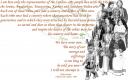 (Click on thumbnail for a larger view of this Caddoland Collage)
Caddos, Anadarkoes, Tawaconies, Southern Delawares — so many Native American tribes disappear from U.S. history books, and from U.S. history. These histories should be better preserved and better taught.
Texas history texts mention the Caddo Tribe, but largely ignore what must have been a significant cultural empire, if not an empire that left large stone monuments. Teaching this material in Texas history classes frustrates me, and probably others. Student projects on the Caddos are frequently limited in what they cover, generally come up with the same three or four factoids and illustrations.
The Caddo Tribe lived in an area spanning five modern states, Louisiana, Texas, Arkansas, Oklahoma, and eventually Missouri. Here is an interactive map that offers more information and useful photos of Caddoland than I have found in any other source: The Caddo Map Tool.

This is just an image of the tool — click on the image above and it will link to the actual site. One of the things that excites me about this map is its interactive features, especially the map that carries links to photos that show just what the local environment looks like.
Read the rest of this entry »
Spread the word; friends don't allow friends to repeat history.
2 Comments | Archaeology, Geography - Economic, Geography - Physical, Geography - Political, History, Lesson plans, Maps, On-line education, On-line learning, Place Names, Prehistory, Student projects, Teaching, Technology in the classroom, Texas, Texas history, Travel | Permalink
Posted by Ed Darrell
June 26, 2007
Faithful readers here may note some long, substantive comments from another “Ed,” who is connected with the Open History Project, it turns out. I’ve linked to the OHP before, but not often enough. It really is a treasure trove.
For example, there is a page of links to computer/internet media works. Included there is a fascinating animation from the British site accompanying what was a PBS Masterpiece Theatre program in the U.S. from Charles Dickens’ novel, Bleak House. The animation, by a creative crew called Rufflebrothers (Mark and Tim Ruffle), covers the life of Charles Dickens. As a simple cartoon, it’s droll — notice Dickens’ siblings dropping dead in an early scene. As a piece of history pedagoguery, it’s brilliant. [It’s Flash animation, and I can’t copy it to paste a sample.]
(I can’t find this animation on the PBS website for Bleak House — but there is another, simpler timeline, covering Dickens and more authors.)
Watch the British animation of Dickens’ life, then go back and take it scene by scene. A pocket watch allows you to see what else was happening in history at that moment. Careful linking allows you to get much more detail — in the scene where his siblings are shown dying (as they did, in fact), the feature gives the details of each of Charles’ brothers and sisters, opening a door of new understanding for the inspiration of the characters in Dickens’ work (It was originally Tiny Fred? Really? After Dickens’ younger brother Frederick?).
Imagine such an animation for the life of George Washington, or for the life of Abraham Lincoln, or Henry Ford, Queen Victoria, Sam Houston, Mark Twain, Theodore Roosevelt, or Albert Einstein.
What in the world can we do to encourage BBC to do more like this? Who else can get in on the act?
What other treasures await you at the Open History Project?
Spread the word; friends don't allow friends to repeat history.
2 Comments | Cartoons, Education, History video sources, Humor, Literature, On-line education, On-line learning, Pedagogy, Technology, Technology in the classroom, Video and film | Permalink
Posted by Ed Darrell
June 21, 2007
Can’t draw? Especially, you can’t draw faces?
Want to see how on-line and computer-based education might work best?
Go here, learn to draw faces well, in under ten minutes. (Have some fun — at the entrance page, scroll over each person and read the thought bubbles.)
This piece has been out there for two years. One might wonder what else this team has done, and where one might find it.
From the Academy of Art University in San Francisco. Tip of the old scrub brush to Evangelical Outpost.
Spread the word; friends don't allow friends to repeat history.
Leave a Comment » | Education, On-line education, On-line learning, Teaching, Technology, Technology in the classroom | Permalink
Posted by Ed Darrell
June 11, 2007
The Physical Environment offers a text for geophysical classes, on-line. It sorta looks like it’s free. In any case, check it out.
Then look at the supporting blog.
Is there any inherent reason you can’t do that in your classroom? You could start by using this “book,” The Physical Environment.
Spread the word; friends don't allow friends to repeat history.
Leave a Comment » | Education, Geography - Physical, Natural history, On-line education, On-line learning, Technology, Technology in the classroom | Permalink
Posted by Ed Darrell
June 6, 2007
Have you tried out Google for Educators?
Google is a powerful search tool that is way under-utilized by most of us. Working with students, I constantly find they have difficulty using Google or any other search engine to cut out worthless material and focus on specific items they need for their research.
Google for Educators has several posters offering tips on searching to help out. Click here for .pdf version of Book Search, from Google
You can download the posters as .pdf files in a format suited to 8.5 X 11 inch pages, or for 17 X 22 inch pages. The larger size can be printed on the color “blueprint” printers your school’s drafting classes have (This is a good opportunity to go make friends with the drafting instructor — you can use those machines for great maps, too.). If your school lacks such printers, you’ll find commercial copy centers will reproduce them (we have Kinko’s here) — though my experience is it can sometimes be cheaper to have them treated as photos and processed at a local photo center (Ritz/Wolf’s/Inkley’s, etc.)
I particularly like the “Better Searches, Better Results” poster.
The Texas teacher evaluation forms encourage evaluation on stuff hanging on the walls fo the classroom — if you lack stuff to hang, especially stuff that helps students in times of need, Google offers several posters. Make the most of it.
[Has anyone else noticed that, as important as visual displays are supposed to be, very few schools make arrangements for easy display of materials?]
Spread the word; friends don't allow friends to repeat history.
Leave a Comment » | Libraries, Maps, On-line education, On-line learning, Plagiarism, Public libraries, Student projects, Technology, Technology in the classroom | Permalink
Posted by Ed Darrell





 Millard Fillmore's Bathtub
